

We’re proud to announce a very exciting new feature we just released – TimeStamping
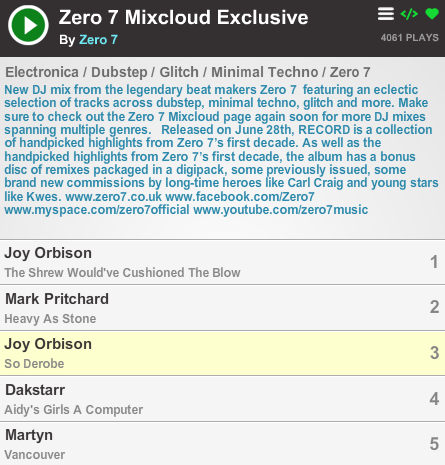
This cool new feature allows you to add time / track markers to any Cloudcast you have uploaded to Mixcloud. Which then gives all listeners the benefit of knowing which track is currently playing, by the name being highlighted yellow in the player during playback.
To add these time stamps to your Cloudcasts, simply go to any of your Cloudcast pages and select the Timestamper link under the Toolkit Menu beneath the artwork on the right-hand side of the page.

Simply move the pre populated track markers along the length of the Cloudcast to position at the correct time. You can listen to the Cloudcast as you do this too. The red markers indicate the tracks that have not yet been positioned . Once you’ve finished all the markers, just hit the SAVE button to update your Cloudcast.

Check out this exclusive Zero 7 Cloudcast below, now complete with timestamps:
Zero 7 Mixcloud Exclusive by Zero 7 on Mixcloud
Be sure to let us know what you think of this feature in the comments section, either on the Cloudcast page or below this post.